Showing posts with label How to. Show all posts

Friday, 1 April 2016

How to create a group on facebook

Facebook Group  is a place where you can share posts or ideas or any information. It provide a great way of sharing within group of people. facebook group make it easy to connect with specfic set of people. Groups are dedicated space where you can share updates photos or documents and message other group member.

  Step 1 . Visit www.facebook.com with your browser or mobile app

How to create a group on facebook

Step 2. Log in with your Facebook id and password

How to create a group on facebook

Step 3. From your home page, go to group section on  left side menu and then click on create group

How to create a group on facebook

 Step 4. A window will appear where you will be able to add group name, members and the privacy settings of your group

How to create a group on facebook

Step 4. Click on create and a new group is created 


Step 5. A window will appear from where you will chose your group icon and then click on ok option.  

How to create a group on facebook


   A window will appear with your group page.


How to change relationship status on facebook


 You can only list someone in your relationship status if you're friends with that person. That person also needs to confirm that you're in a relationship together before they're listed in your relationship status. Following are the steps to change your status on Facebook.

Step 1. Log on to www.facebook.com with your browser or app
Step 2. Click on edit profile present on left side of the home page


 Step 3. Click on Family and relationship which is present on the left side of the page
Step 4. Click on add your relationship status


Step 5. Chose your option and click on save change


The person you set will be sent a message to confirm that they are in a relationship with you. Once they confirm your status will appear in your profile.

How to spot a fake facebook account

Today on social networking sites the biggest problem is the fake accounts.Most of the accounts are created to spread spam, steal financial information and also many people create girls fake profile.
Around 25 to 30 percent of account on Facebook are fake.
It's it very sad to know that Facebook has not done more to identify fake accounts.So do not get worry we are going to tell you some tip to identify fake accounts.


Tip 1. Check the user timeline:Find out when the user has joined Facebook, most fake accounts are created just less than a week before they start sending out rampant friend requests.

Tip 2: Beware of Fake profiles of Girls:Most fake profiles are created with an girls identity, which is why you should never accept friend requests from unknown females.

Tip 3: Check the friend list:Check out the friend list of the user. If a Fake Facebook account has many mutual friends with you, then chances are there that the Fake accounts is created by one of your friends who is trying to have some fun.

Tip 4:Read the profile carefully. Does what is being said add up or are there some really hard-to-believe statements being made? 
For example, maybe there is a photo of a very young person next to claims of being a professor or a CEO. 

Tip5. Profile picture. If you Find any Facebook Account on your Friend list doubtful, First thing you will do is Use Reverse Image Search. This helps you find out if Similar Pictures are available on Internet. 
Go to Google image , Click on Camera icon which says Search by image, Click on Upload an Image, now choose the Picture you  had downloaded earlier , Now once the uploading Completes, google will show you Similar Images that already exist over internet.

 These were some tips to Identify Fake Facebook Account , which i wanted to share with you all, if you find any Fake profile then you and your friends can report it to Facebook.

How to unfriend someone on facebook

Step 1. Visit www.facebook.com with your browser or app


Step 2. Write username and password and log in to your account


Step 3. Click on profile option a profile page will appear

  
Step 4. Click on friends option in the profile page


Step 5.  Click on the friends name


Step 6. Click on unfriend option, then the friend will get unfriend

Thursday, 24 March 2016

How to reactivate your facebook account

If you have deactivated your account on Facebook account in the past then it is very easy to reactivate it in the future. Just follow the below steps and your account will again be reactivated.


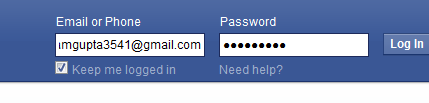
Step1. Visit www.facebook.com. Fill up the user name and password and click on log in option and you will be back in action.

But every time things do not go as we planned
As you have forget your password 
Step 1. Click on need help and fill up your email address


 Step 2.Chose any of the convenience method to get your password and click on continue


Step 3. Log in to your goggle account to get your password and get it on your phone
Step 4. Chose your now password which must be six digit long


Step 5. Enter your new password and you must log in to your Facebook page